Ask an agent to “continue” and it usually will. The question is what it continues from.
In a typical week a plan is written, improved, and replaced after a test fails. All three versions sit in the project folder and in the conversation. A new session, or the same session after its context has been compacted, looks for the plan and finds one. Often it is not the current one.
Why agents resume from the wrong plan
- Several plan files with similar names:
plan.md,plan-v2.md,notes-final.md - A conversation that contains every version, including the abandoned ones
- The reason a plan was replaced lives in a message, not next to the plan
- The working state, what is done and what is running, is not written down anywhere
None of these are agent failures. They are missing context.
A checklist for continuing agent work
1. One task, one current plan
Keep a single file per task that is the plan. Everything else is history.
2. Say what each new plan replaces, and why
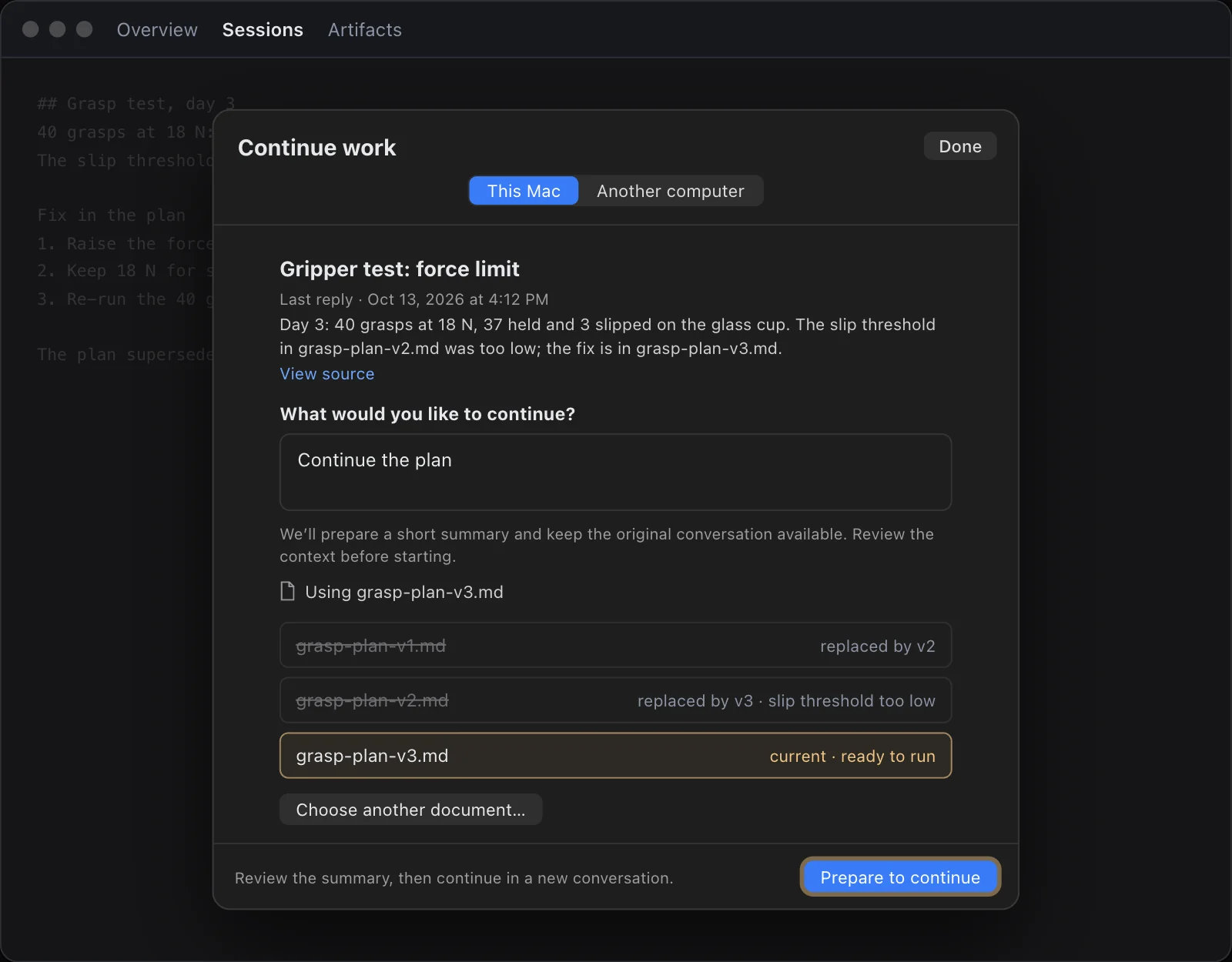
When a plan changes, write one line at the top: “Replaces grasp-plan-v2.md: the slip threshold was too low.” The reason is what stops the next session from making the same mistake.
3. Keep the working state next to the plan
What is done, what is running, what is next, and the open decisions. A short checkpoint is enough.
4. Start the next session with both
Point the new session at the current plan and the working state, not at the folder.
5. Look before it runs
Before a long or expensive step, read back what the agent says it will do and which plan it is using.
How Continued does this
In Continued you say “continue.” Before anything runs, it shows which document it will use and how that document relates to the others: the first plan replaced by the second, the second replaced by the third with the reason, and the current one marked ready to run. It continues with the conversation and the current working state, and you can review that context first.
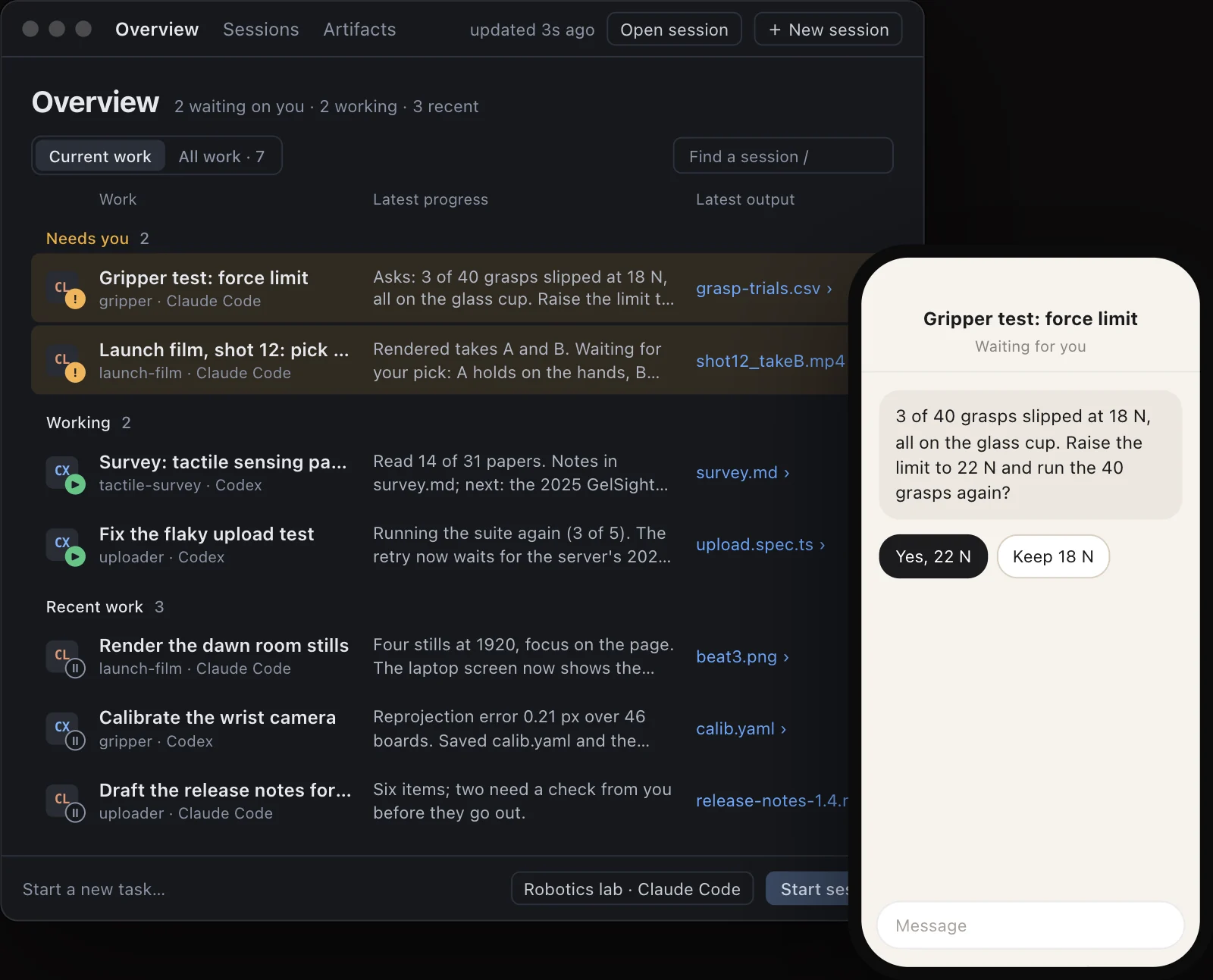
Continued also keeps every agent’s sessions in one place, so you can see which ones are waiting on you before you continue any of them.
Without any special tool
The checklist works with plain files and any agent. It is the same idea that let builders six centuries apart finish one cathedral: one plan everyone follows. We wrote about that in Many minds, one great work.
When the work moves to someone else, see how to hand off agent work with its context. Or download Continued for Mac.