Sending a teammate a link to a folder is a handoff in name only. They get the files without the reasons, and their agent gets even less.
What gets lost in an agent handoff
- What has been done, and what has not
- Which file is the current one
- Why a decision was made
- Which outputs came from which agent and session
- What the next step was supposed to be
What a good handoff contains
A summary: what is done, what is next
Two or three sentences. If the next person reads nothing else, they should still know where to start.
Project checkpoints
The moments when the work was in a known state, so the next session can begin from one instead of from guesses.
The files that matter
Not the whole folder: the current plan, the data, the notes the work depends on.
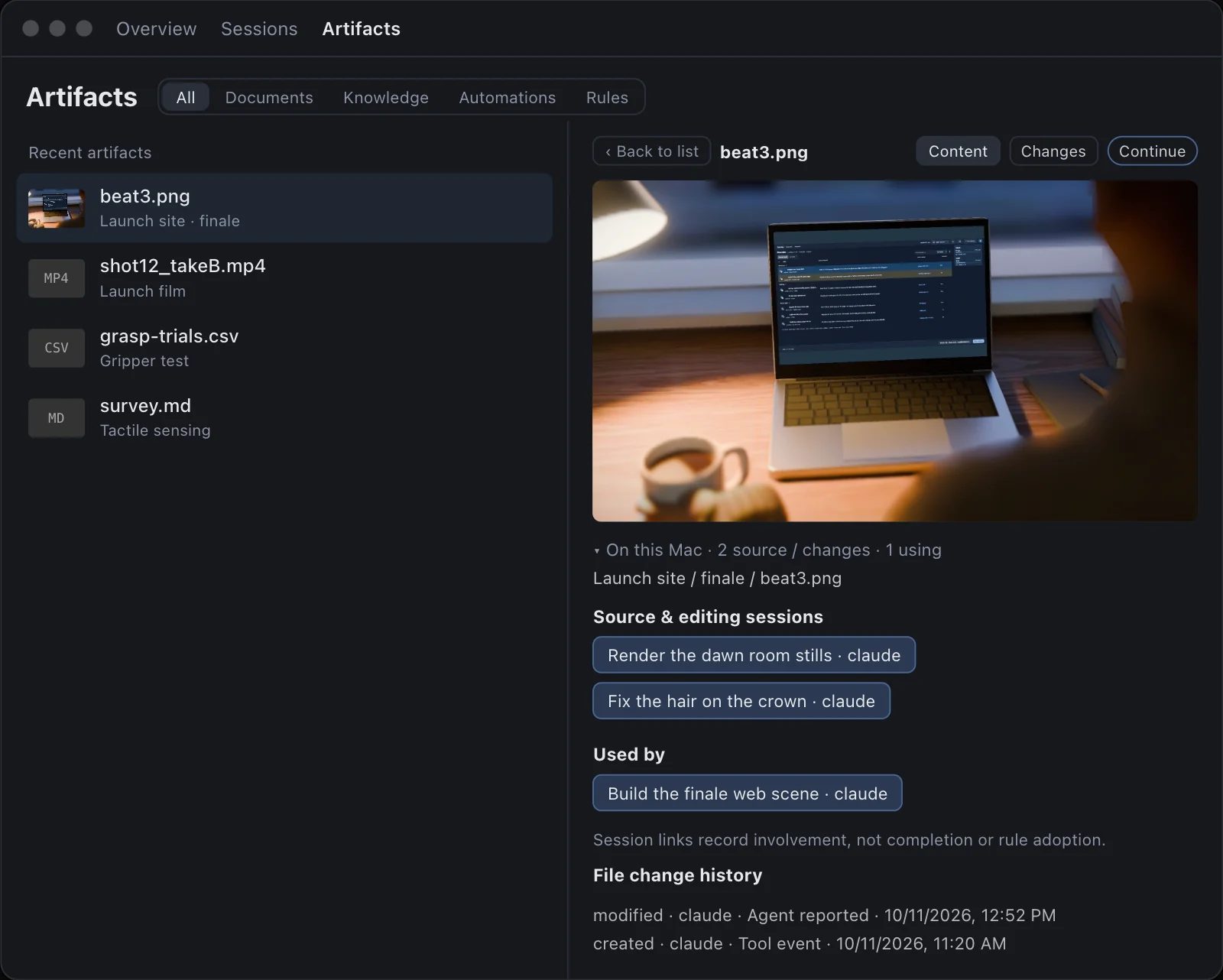
Where each file came from
Which agent made it, in which session, and when. The next person will trust or question a file differently depending on where it came from.
Where to send it
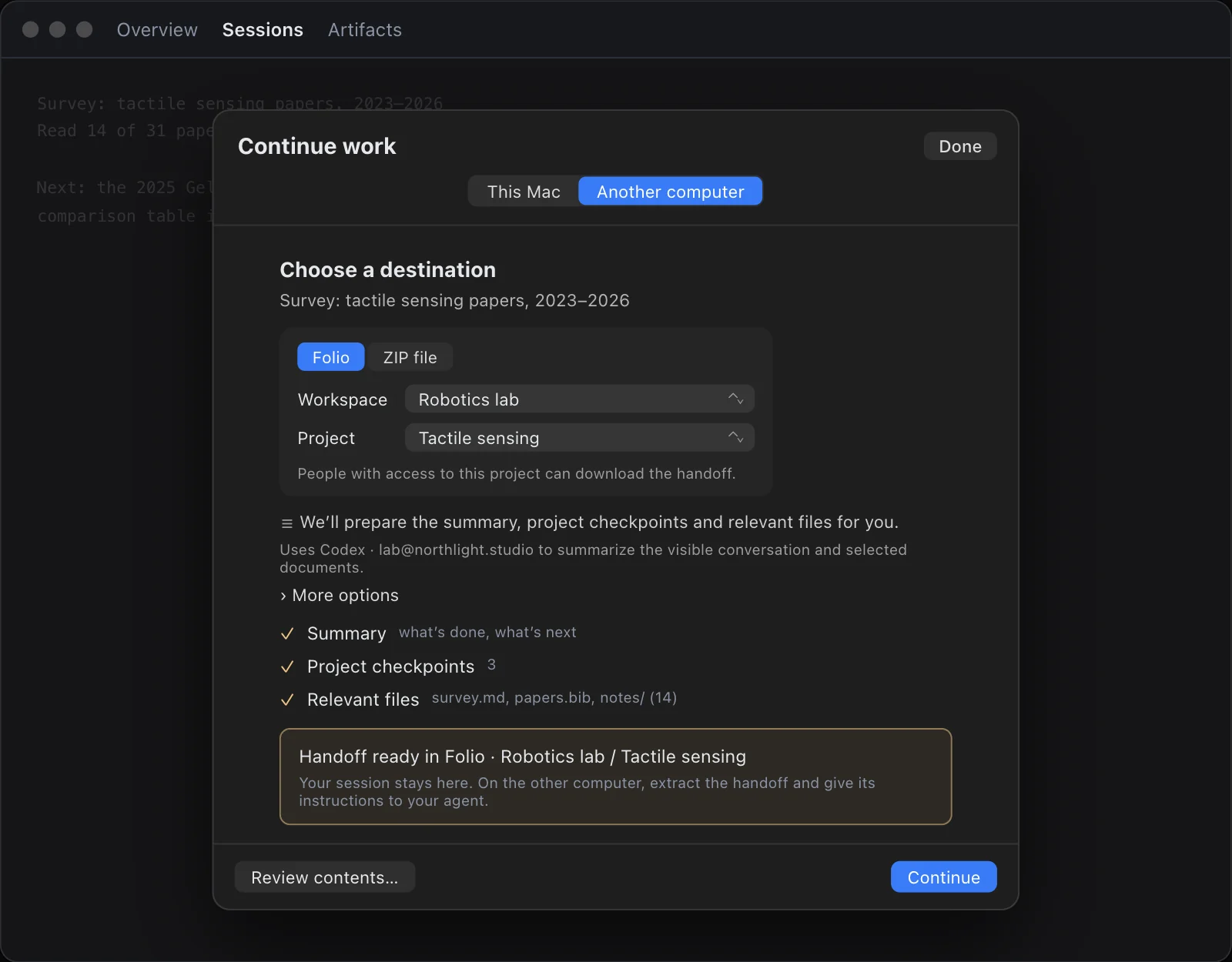
Somewhere the next person can open without asking you: a shared project, or a file they can download. The original session should stay where it is, so you can answer questions about it or take the work back.
On the receiving side
Open the handoff, read the summary, then give its instructions to your agent: the plan, the checkpoint and the files. Before it runs anything, check that it restates the next step correctly.
How Continued does this
In Continued, continuing work on another computer packages the session: a summary of what is done and what is next, the project checkpoints and the relevant files. You choose a destination, a Folio project or a ZIP file, review the contents and send it. Your session stays here. On the other computer, open the handoff and give its instructions to your agent.
A handoff is the last of three habits that hold any shared work together. The first two are one current plan and writing down what decisions mean. We wrote about where they come from in Many minds, one great work.